
A well-crafted URL structure is key for e-commerce SEO success. It boosts search engine rankings and makes browsing easier, leading to more clicks.
For Shopify store owners, making URL structures better is easy and effective. By following SEO best practices in URL optimization, businesses can see big improvements in search engine results.
Key Takeaways
- Optimizing URL structures improves search engine rankings.
- A well-structured URL enhances user experience.
- Shopify store owners can benefit from URL optimization.
- SEO best practices in URL structures boost online visibility.
- Effective URL optimization leads to higher click-through rates.
Why URL Structure Matters for E-commerce SEO
URL structure is key for e-commerce SEO rankings. A good URL structure can greatly impact how search engines and users see a webpage.
The Impact of URLs on Search Engine Rankings
Google says a well-structured URL can boost search rankings. Descriptive and short URLs help search engines understand a webpage’s content. This makes it easier to index and rank.
Key benefits of well-structured URLs for search engine rankings include:
- Increased relevance for specific search queries
- Better crawlability and indexing
- Improved keyword matching
| URL Characteristic | Impact on Search Engine Rankings |
|---|---|
| Descriptive | Increases relevance for specific search queries |
| Concise | Improves crawlability and indexing |
| Keyword-rich | Enhances keyword matching |
How URLs Affect User Experience and Click-Through Rates
URLs that are clear and short can also boost user experience and click-through rates. Users are more likely to click on URLs that clearly show what the webpage is about.
A well-structured URL like “example.com/products/shoes” is more user-friendly than “example.com/products/12345.”
Understanding Shopify’s Default URL Structure
Shopify automatically sets up URLs for products, collections, and blog posts. This makes starting an online store easier. But, it’s key to know how these URLs are made and their impact on SEO.
How Shopify Generates URLs Automatically
Shopify makes URLs based on the title of items. For example, “Wireless Earbuds” gets a URL like /products/wireless-earbuds. This keeps the store organized. Yet, it’s important to check these URLs for SEO.
Shopify uses hyphens for spaces and removes special characters, which helps SEO. But, similar titles can lead to duplicate URLs.
Limitations of Shopify’s Default URL Configuration
Shopify’s auto-URLs are handy but have downsides. They might not be the best for SEO. For instance, they might lack target keywords or be too long.
Shopify’s default URLs also don’t support sub-categories or complex structures. This limits how you can organize your store.
| URL Element | Default Shopify URL | Optimized URL |
|---|---|---|
| Product | /products/wireless-earbuds | /products/best-wireless-earbuds-2023 |
| Collection | /collections/accessories | /collections/latest-tech-accessories |
| Blog Post | /blogs/news/new-tech-trends | /blogs/news/latest-technology-trends-2023 |
Knowing these limits is the first step to better SEO for your Shopify store.
Shopify URL Structure Best Practices for SEO Success
To boost your Shopify store’s search engine ranking, focus on URL structure. A well-optimized URL can make your store more visible. It also drives more traffic and improves user experience.
Keeping URLs Short and Descriptive
Short and clear URLs are better for users and search engines. Try to make them concise but still descriptive. For example, example.com/collections/summer-sale is better than example.com/collections/summer-sale-products-2023.
Including Target Keywords in URLs
Adding target keywords to your URLs can help your SEO. Make sure the keywords fit the page’s content and are placed naturally. For instance, example.com/products/mens-shoes targets “men’s shoes” well.
Using Hyphens Instead of Underscores
Hyphens are better than underscores for separating words in URLs. Search engines see hyphens as word separators. So, use example.com/collections/new-arrivals instead of example.com/collections/new_arrivals.
Avoiding Special Characters and Numbers
Special characters and numbers can make URLs look spammy. They can also confuse search engines. Keep your URLs clean with letters and hyphens. Avoid using example.com/collections/sale!2023.
Examples of Good vs. Bad Shopify URLs
Let’s look at a good URL versus a bad one. A good URL like example.com/collections/winter-clothing is clear and clean. On the other hand, a bad URL like example.com/collections/cat=123&prod=456 is confusing.
How to Customize Your Shopify Store URLs
Customizing your Shopify store’s URLs is key for better SEO and user experience. Shopify lets you change URLs for products, collections, and blog posts. This makes it easier for customers to find what they need and for search engines to find your site.
Editing Product Page URLs Step-by-Step
To change a product page URL, first go to your Shopify admin panel. Then, head to the “Products” section and pick the product you want to edit. Click on the product title to open its details page. Look for the “Search engine listing” section to edit the “URL” field.
For example, instead of “example.com/products/product123,” you can make it “example.com/products/mens-leather-wallet.” This makes the URL more descriptive and helps with SEO.
Optimizing Collection Page URLs
Collection page URLs can also be customized for better SEO. In your Shopify admin, go to “Collections” and choose the collection you want to edit. Follow the same steps as editing a product URL.
In the “Search engine listing” section, change the URL to include relevant keywords. For example, “example.com/collections/mens-wallets” is more descriptive than a default URL.
Configuring Blog and Article URLs
To edit blog posts, go to “Online Store” > “Blog Posts” in your Shopify admin. Pick the blog post you want to edit, and in the “Search engine listing” section, customize the URL. Include target keywords in the URL to boost SEO.
For instance, “example.com/blogs/news/mens-fashion-trends” is a well-structured URL.
| Page Type | Default URL | Customized URL |
|---|---|---|
| Product | example.com/products/product123 | example.com/products/mens-leather-wallet |
| Collection | example.com/collections/collection456 | example.com/collections/mens-wallets |
| Blog Post | example.com/blogs/blog789 | example.com/blogs/news/mens-fashion-trends |
Setting Up a Logical URL Hierarchy for Your Store
Organizing your Shopify store with a logical URL hierarchy boosts user experience and search rankings. A well-organized URL structure makes it easier for users and search engines to find what they need. This leads to better engagement and possibly higher sales.
Creating a Clear Site Structure in Shopify
To set up a clear site structure, start by organizing your products and collections. This means grouping them in a way that makes sense for your business and customers. A clear structure is key to a logical URL hierarchy, making your URLs easy to understand.
Key considerations for a clear site structure include:
- Grouping related products into categories
- Using subcategories for more specific product groupings
- Ensuring that your site’s navigation is intuitive and reflects your URL structure
Organizing Collections and Subcollections
Collections and subcollections are vital for a Shopify store’s URL hierarchy. They help organize your products into a structured and easy-to-navigate site. Subcollections further refine this structure, allowing for more detailed categorization.
For instance, a clothing store might have a “Menswear” collection with subcollections for “T-Shirts,” “Jeans,” and “Jackets.” This structure improves navigation and creates more focused URLs.
URL Structure for Multi-level Navigation
Stores with complex catalogs or multiple layers of categorization need a multi-level navigation system. This requires a URL structure that supports multiple levels of depth. In Shopify, planning your collection and subcollection structure is crucial.
A well-planned URL structure for multi-level navigation might look like this:
example.com/collections/menswearfor the main “Menswear” collectionexample.com/collections/menswear/t-shirtsfor the “T-Shirts” subcollection under “Menswear”
By structuring your URLs this way, you create a logical and easy-to-follow hierarchy. This benefits both users and search engines.
Managing URL Redirects When Making Changes
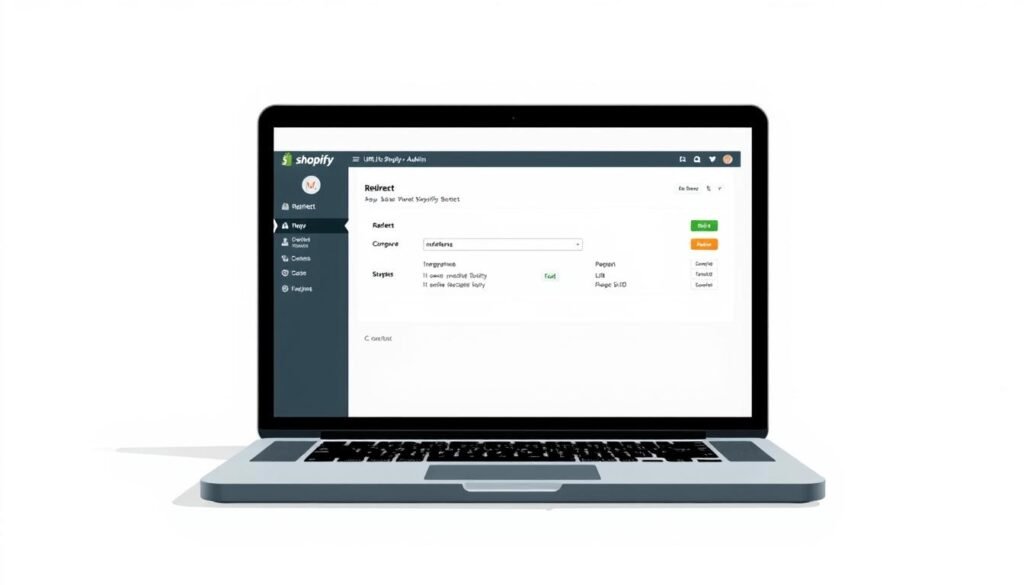
URL redirects are key in SEO when you change URLs in your Shopify store. It’s vital to set up redirects to avoid broken links and keep your SEO rankings.
The Importance of 301 Redirects
A 301 redirect tells search engines a URL has moved permanently. This is key for keeping your SEO rankings when changing URLs. It moves any link value to the new URL.
How to Set Up Redirects in Shopify
Setting up redirects in Shopify is easy. Go to your Shopify admin panel, then Online Store > Navigation > URL Redirects. Click Add URL redirect. Enter the old and new URLs, and Shopify will set up a 301 redirect for you.
Using the URL Redirects Feature
Shopify’s URL Redirects feature lets you manage many redirects at once. It’s great for making lots of URL changes. This feature ensures all old URLs are correctly redirected.
Monitoring Redirects for Errors
After setting up redirects, check them regularly for errors. Use tools like Google Search Console to track their performance. This helps ensure your redirects are working right and you’re not losing SEO value.
Understanding URL redirects and how to manage them helps Shopify store owners keep their SEO rankings. It makes sure changes to URLs go smoothly.
Common URL Structure Mistakes to Avoid
Creating the perfect URL structure is tough, but avoiding common mistakes is crucial. A well-optimized URL structure boosts both search engine rankings and user experience. By understanding and avoiding frequent errors, Shopify store owners can improve their site’s visibility and usability.
Duplicate Content Issues from URL Variations
Creating duplicate content through URL variations is a big mistake. When multiple URLs point to the same content, search engines get confused. This can lead to penalties. For example, having both HTTP and HTTPS versions of a page or multiple parameters that show the same content can cause issues.
To fix this, use canonical URLs and make sure your internal linking is consistent.
| URL Variation | Impact | Solution |
|---|---|---|
| HTTP and HTTPS | Duplicate content | Use canonical URLs |
| Multiple parameters | Content duplication | Consistent internal linking |
Changing URLs Without Redirects
Changing URLs without redirects is a big mistake. Without 301 redirects, users and search engines may see 404 errors. This leads to a bad user experience and can hurt your ranking.
It’s important to set up redirects when changing your URL structure. This keeps continuity and preserves SEO value.
“A 301 redirect is a permanent redirect that passes 90-99% of link juice to the redirected page, making it a crucial tool for SEO.” –
Keyword Stuffing in URLs
Keyword stuffing in URLs is an outdated tactic that can harm your site’s credibility. Overloading URLs with keywords makes them appear spammy. Instead, create descriptive, concise URLs with relevant keywords naturally.
Ignoring Mobile URL Considerations
With mobile-first indexing, ignoring mobile URL considerations is harmful. Make sure your URL structure is responsive and works well on all devices. This means having a consistent URL structure for both desktop and mobile versions of your site.
Measuring the Impact of URL Structure Changes
It’s key to check how URL changes affect your Shopify store’s ranking on search engines. Knowing how URL changes impact your store helps you make your SEO better. This way, you can boost your rankings and make your store easier to use.
Key Metrics to Track After URL Optimization
Keep an eye on organic traffic, search rankings, and click-through rates (CTR) after changing your URLs. These numbers show how your store’s visibility and user interest have changed. Checking these metrics often helps you spot what needs more work.
Using Google Search Console for URL Performance
Google Search Console is great for seeing how your URLs do in search results. It shows you impressions, clicks, and average position. By looking at this data, you can see if your URL changes worked well and make smart choices.

Shopify Analytics for URL Tracking
Shopify Analytics gives you deep insights into your store’s visitors and their actions. By tracking URLs in Shopify Analytics, you learn which URLs bring in more traffic and sales. This info is key for making your URL structure even better.
Conclusion: Implementing Your Shopify URL Strategy
Having a good Shopify URL strategy is key for better SEO and user experience. By using the tips from this article, you can make your URLs clear and helpful. This will help your site show up better in search results.
To keep your URLs working well, you need to check them often. Update old URLs and use 301 redirects for changes. This keeps your site organized and easy to find.
Good URL strategy means thinking about your site’s layout and how people move around. Organizing your collections and subcollections well makes shopping easy. This can lead to more sales and happy customers.
Focus on your Shopify URL strategy to get better search rankings and more visitors. Start making your URLs better today. This will help your online store grow and succeed.