
Creating an online store that ranks well in search engines is crucial for visibility and success. One key aspect of achieving this is by optimizing your blog categories. In Shopify, blog categories are like the organized sections of your online diary, grouping your posts into neat topics that make it easy for visitors to explore.
Properly structured blog categories are essential for both user experience and SEO performance. They help search engines understand your content, making it easier for your pages to be crawled and indexed. This guide will walk you through the process of optimizing your Shopify blog categories for better search engine visibility, covering both technical and content considerations.
Key Takeaways
- Understand the importance of blog categories for user experience and SEO.
- Learn how to structure your blog content for better search engine crawling and indexing.
- Discover practical strategies to enhance your store’s SEO through optimized blog categories.
- Implement actionable steps to improve your existing blog structure.
- Drive more organic traffic through well-structured blog categories.
Understanding Shopify Blog Categories and Their SEO Value
To maximize your Shopify store’s potential, it’s crucial to understand the role of blog categories in enhancing user experience and search engine optimization (SEO). Shopify blog categories serve as the backbone of your online content, providing a structured way to organize your blog posts into relevant topics.
What Are Shopify Blog Categories?
Shopify blog categories are organizational tools that help structure your content in a logical, user-friendly manner. They act as content containers that group related blog posts together, making it easier for both visitors and search engines to navigate your site. By categorizing your content, you’re creating a clear pathway for users to find what they’re looking for.
Why Blog Categories Matter for SEO
From an SEO perspective, well-structured categories signal to search engines that your content is organized and relevant to specific topics. This helps establish topical authority in your niche by showing search engines that you have depth of content in particular subject areas. Categories also improve the user experience by allowing visitors to quickly find related content that interests them, which can positively impact your SEO rankings.
By effectively utilizing blog categories, you can enhance your Shopify store’s visibility, improve user navigation, and ultimately drive more traffic to your site.
The SEO Benefits of Well-Structured Blog Categories
Effective blog categorization is key to unlocking the full SEO potential of your Shopify store. By organizing your content into clear categories, you can improve both user navigation and search engine optimization. This structured approach helps search engines understand your site’s content hierarchy, making it easier for them to crawl and index your pages.
Improved Site Navigation and User Experience
Well-structured blog categories create clear pathways for users to navigate through your content, reducing bounce rates and increasing time spent on your site. When visitors can easily find related content through intuitive category navigation, they’re more likely to explore multiple pages, signaling to search engines that your site provides value.
Enhanced Content Organization for Search Engines
Search engines like Google prioritize websites that demonstrate clear content organization, as it helps them understand what your site is about and which queries it should rank for. Categories help establish topic clusters around key subjects, which is a modern SEO strategy that helps search engines recognize your site’s authority in specific areas.
Increased Visibility for Topic-Specific Content
Topic-specific category pages often rank better for broader keywords than individual blog posts, bringing in more targeted traffic. Category pages act as content hubs that can rank for competitive keywords that individual posts might struggle to rank for. The internal linking structure created by categories helps distribute page authority throughout your site, boosting the ranking potential of all your content.
By grouping related content together, categories make it easier for search engines to understand the semantic relationships between different pieces of content on your site. This structured approach to content organization is essential for maximizing your Shopify store’s SEO potential.
How to Create Effective Shopify Blog Categories
Organizing content into categories can significantly boost the visibility of a Shopify blog. Effective categorization enhances user experience and improves the store’s SEO. Shopify offers multiple approaches to creating blog categories, each with its own advantages depending on the store’s needs and content strategy.
Simplifying with the Default “News” Blog
The simplest method to create blog categories on Shopify is by utilizing the default “News” blog. Here, you can categorize your posts using tags, keeping everything under one blog section. This approach works well for stores with straightforward content needs, providing a clean and unified blog experience for readers.
For instance, if you’re running a fashion store, you can tag your posts with categories like “summer collection,” “winter wear,” or “accessories.” This method is easy to implement and maintain, especially for smaller stores or those just starting out with their blog.
Creating Multiple Blogs as Categories
For more complex content strategies, you can create multiple blogs that function as separate category sections. This method gives you greater control over how content is organized and displayed, allowing for distinct layouts and features for different content types. Each blog can have its own URL structure, which can be beneficial for SEO when targeting different keyword groups.
For example, a tech store might have separate blogs for “product reviews,” “industry news,” and “how-to guides.” This segmentation helps in targeting specific audiences and improving the overall user experience.
| Method | Description | Best For |
|---|---|---|
| Using Default “News” Blog | Categorizing posts using tags within a single blog | Stores with simple content needs |
| Creating Multiple Blogs | Separate blogs for different content categories | Stores with complex content strategies |
Utilizing Tags as Categories
Another approach is to use Shopify’s tagging system to create category-like organization within a single blog. Tags can be displayed prominently on your blog page to function similarly to categories, giving users a way to filter content by topic. Consistency is key when implementing tags as categories; develop a clear tagging strategy and stick to it across all your blog posts.
As an example, consider the following quote from a Shopify expert:
“Using tags effectively can transform your blog into a highly navigable and user-friendly resource. It’s about creating a system that makes sense for your content and your audience.”
By choosing the right method for creating blog categories, you can enhance your Shopify store’s content organization and improve its visibility in search engine results.
Setting Up Your Shopify Blog Category Structure
Creating a coherent and navigable blog category structure is vital for both users and search engines to understand your Shopify store’s content. A well-organized category system helps visitors quickly find relevant information and enhances your store’s overall user experience.
Planning Your Category Hierarchy
Before diving into category creation, it’s essential to plan a logical hierarchy that reflects your content strategy and business goals. Start by identifying the main topics your blog will cover, then consider how these topics relate to each other and your products or services. A well-planned category structure should be intuitive for users to navigate and scalable to accommodate future content growth.
- Identify main topics and subtopics relevant to your business.
- Consider how topics relate to each other and your products or services.
- Plan for scalability to accommodate future content.
Naming Conventions for SEO-Friendly Categories
When naming your categories, prioritize clarity and search-friendliness by using terms your audience is likely to search for. Research keywords related to each category topic to identify the most valuable terms to incorporate into your category names. Avoid overly clever or branded category names that might confuse users or search engines about the content they contain.
Determining the Optimal Number of Categories
Balancing breadth and depth is crucial when determining how many categories to create. Too few categories can result in overly broad groupings, while too many can fragment your content. Most successful Shopify blogs maintain between 5-10 main categories, though this can vary based on your content volume and diversity. Consider using a tiered approach with main categories and subcategories if you have a large content library covering many related topics.
By carefully planning your category hierarchy, using SEO-friendly naming conventions, and determining the optimal number of categories, you can create a Shopify blog that is both user-friendly and optimized for search engines.
Optimizing Category Pages for Search Engines
Optimizing your Shopify store’s category pages can significantly improve your search engine rankings. Category pages are crucial for organizing content and helping search engines understand your site’s structure. By optimizing these pages, you can enhance your store’s visibility and drive more targeted traffic to your site.
Crafting SEO-Friendly Category Titles
Crafting SEO-friendly category titles is essential for improving your category pages’ search engine rankings. Effective category titles should be concise yet descriptive, incorporating primary keywords near the beginning for maximum SEO impact. For instance, instead of using a generic title like “Summer Collection,” use a more descriptive title like “Women’s Summer Fashion Collection: Dresses, Tops, and Shorts.”
Best practices for category titles:
- Include primary keywords near the beginning
- Be concise and descriptive
- Avoid duplication across different categories
Writing Effective Category Descriptions
Each category page should have a unique, informative description that expands on what the category contains and why it’s valuable to readers. These descriptions provide an opportunity to naturally incorporate additional keywords and related terms that might be difficult to include in the title alone. Well-written category descriptions help both users and search engines understand the purpose and content of the category, improving relevance signals.
Example of a category description: “Explore our Women’s Summer Fashion Collection, featuring the latest trends in dresses, tops, and shorts. Discover stylish and comfortable clothing perfect for the warm weather season.”
| Category | Description | Keywords |
|---|---|---|
| Women’s Summer Fashion | Latest trends in women’s summer clothing | summer dresses, women’s tops, shorts |
| Men’s Winter Collection | Men’s winter clothing and accessories | winter jackets, men’s sweaters, scarves |
Optimizing Category URLs and Handles
Category URLs should be clean, concise, and include your target keyword when possible, avoiding unnecessary parameters or numbers. In Shopify, you can customize the URL handle for each category to create more SEO-friendly paths that reflect the category content. Keeping URLs simple and readable tends to perform better in search results and is easier for users to share.
Tips for optimizing category URLs:
- Include target keywords
- Avoid unnecessary parameters or numbers
- Keep URLs concise and readable
Adding Relevant Keywords to Categories
Strategic keyword placement throughout your category pages signals relevance to search engines without appearing forced or unnatural. Beyond titles and descriptions, consider incorporating relevant keywords in image alt text, subheadings, and naturally within any additional content on the category page. Use keyword research tools to identify related terms and synonyms that can expand your semantic relevance for each category.
By following these optimization strategies, you can improve your Shopify store’s category pages and enhance your overall SEO performance. Remember to regularly review and update your category pages to ensure they remain relevant and effective.
Shopify Blog Category SEO Best Practices

Effective Shopify blog category SEO is achieved by implementing best practices that improve your site’s structure and content organization. By following these guidelines, you can enhance your store’s visibility and provide a better user experience.
Consistent Categorization of Content
Maintaining consistency in how you categorize content is crucial for both user experience and search engine understanding of your site structure. Develop clear guidelines for which types of content belong in each category and stick to them, avoiding the temptation to place posts in multiple categories unless absolutely necessary.
Consistent categorization helps build topical authority over time as search engines recognize patterns in your content organization.
Balancing Category Breadth and Depth
Finding the right balance between category breadth and depth is essential—categories should be specific enough to be meaningful but broad enough to contain multiple posts. Aim for at least 5-10 posts per category to demonstrate depth of content and expertise in that topic area.
Avoid creating categories for one-off posts; instead, use tags for more granular content organization while keeping categories focused on core topics.
Internal Linking Between Categories
Strategic internal linking between related categories strengthens your site’s SEO by creating logical pathways for both users and search crawlers. Include contextual links within category descriptions that point to related categories, helping users discover additional relevant content.
Consider creating “hub” pages that showcase your main categories and explain how they relate to each other, providing additional internal linking opportunities. When linking between categories, use descriptive anchor text that includes relevant keywords to signal the relationship between different content areas.
Regularly review your internal linking structure to ensure there are no dead ends or orphaned categories that users and search engines can’t easily discover.
Enhancing Category Pages with Rich Content
Transforming category pages into rich content hubs is a crucial step in optimizing your Shopify blog for better user experience and SEO. By incorporating various elements, you can make your category pages more engaging and informative.

Adding Featured Images to Categories
Adding a featured image to each category can significantly enhance the visual appeal of your blog. Choose images that clearly represent the category theme and maintain consistent styling across all category featured images for a cohesive look. This visual consistency helps users quickly identify the topic and makes your blog more engaging and memorable.
Including Category-Specific CTAs
Category-specific calls-to-action (CTAs) can turn passive browsing into active engagement. Tailor your CTAs to match the user intent behind each category. For example, a “recipes” category might include a CTA to download a free cookbook, while a “product tutorials” category could promote related products. Strategic CTAs can improve conversion rates by connecting blog readers with relevant products or services at the moment of highest interest.
Showcasing Popular Posts Within Categories
Showcasing popular or featured posts within each category helps users discover your best content and increases the likelihood they’ll engage with multiple articles. Consider adding a “Start Here” or “Editor’s Picks” section to each category page to guide new visitors to cornerstone content. Highlighting recent comments or user engagement within each category can add social proof and encourage further interaction.
By implementing these strategies, you can transform your category pages from simple lists of posts into rich, engaging content hubs that improve both user experience and SEO performance. Rich category pages with unique content beyond just post listings are more likely to rank well in search results and attract direct traffic.
Tools and Apps for Shopify Blog Category Enhancement
Enhancing your Shopify blog categories with the right tools and apps can significantly boost your SEO performance. By leveraging these resources, you can improve the visibility and organization of your blog content, ultimately driving more traffic to your store.
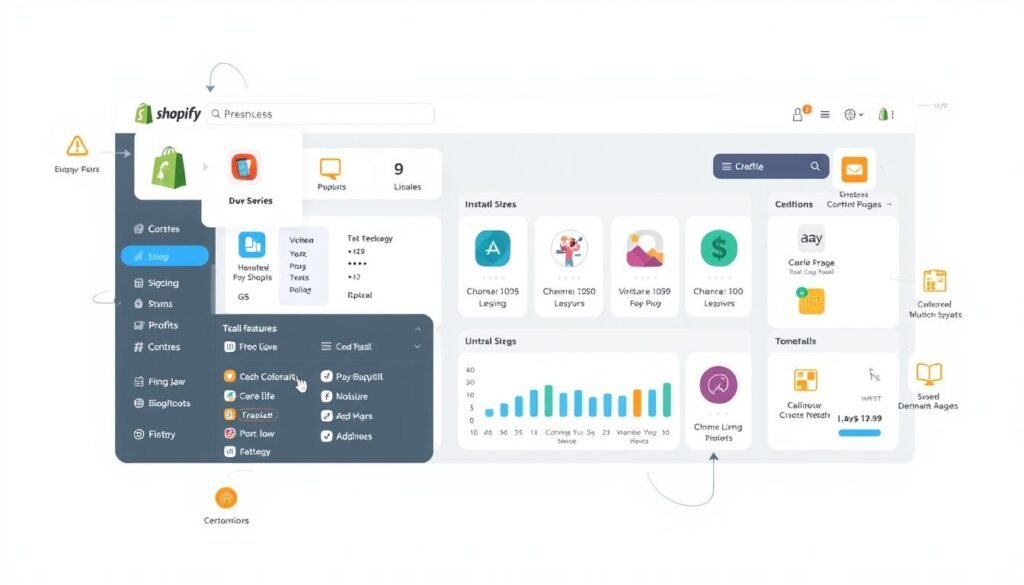
EComposer Landing Page Builder
EComposer Landing Page Builder is a valuable tool for creating visually appealing category landing pages without requiring coding knowledge. Its user-friendly drag-and-drop interface allows you to customize category page layouts with engaging elements like featured post carousels and custom CTAs.
SEO Blog Optimizer
SEO Blog Optimizer helps you assess your blog articles’ SEO performance and enhance your SEO score using intelligent recommendations aligned with the latest Google search algorithm updates. This tool is essential for optimizing your blog content to attract increased organic traffic.
DropInBlog – SEO Friendly Blog
DropInBlog offers a robust alternative to Shopify’s native blog functionality with enhanced SEO features specifically designed for ecommerce content. Its built-in SEO analyzer ensures that your category pages and posts follow best practices for search visibility.
Blog Article Filter Search PRO
Blog Article Filter Search PRO enhances user experience by adding advanced filtering capabilities to your blog categories, allowing visitors to refine their content exploration. This feature is particularly useful for stores with extensive blog content.
Jolt: AI Blog & Image Creation
Jolt leverages AI technology to help you create engaging blog content and images that align with your category themes and target keywords. This tool is particularly valuable for maintaining consistent posting schedules across multiple blog categories without sacrificing quality.
When selecting tools for your Shopify store, consider how they integrate with your existing theme and whether they impact page loading speed, as performance is also a crucial SEO factor.
Measuring the SEO Impact of Your Blog Categories
Measuring the SEO impact of your blog categories is essential for maximizing their potential. To understand how your categories are performing, you need to track key metrics and analyze data from various tools.
Key Metrics to Track
To assess the SEO performance of your blog categories, focus on the following key metrics:
- Organic traffic to category pages
- Category page rankings for target keywords
- User engagement metrics like time on page and pages per session
Establishing baseline metrics before making significant changes to your category structure allows you to accurately track improvements over time.
Using Google Search Console for Category Performance
Google Search Console provides valuable insights into how search engines view and rank your category pages. Use the Performance report to identify which categories are performing well in search and which might need optimization adjustments.
For instance, you might discover that a particular category page is receiving a significant amount of traffic from a specific search term. This information can help you refine your category title and description to better match user intent.
| Category Page | Search Term | Traffic |
|---|---|---|
| Moisturizers | Face Cream | 1000 |
| Moisturizers | Barrier Repair Cream | 200 |
Analyzing User Behavior with Shopify Analytics
Shopify Analytics complements search data by revealing how users interact with your category pages once they arrive on your site. Pay particular attention to navigation patterns between categories and conversion paths that begin on category pages.
By analyzing both search performance and user behavior, you can make data-driven decisions about which categories to expand, consolidate, or reposition in your content strategy.
Regular analysis and adjustments will help you maximize the SEO potential of your blog categories, driving more traffic and improving user engagement.
Troubleshooting Common Shopify Blog Category SEO Issues
Optimizing Shopify blog categories for search engines can be fraught with challenges. Even with careful implementation, issues can arise that affect their performance in search results.
Categories Not Appearing in Search Results
If your categories aren’t appearing in search results, verify they’re properly indexed using Google Search Console’s Index Coverage report. Ensure each category has unique, substantive content beyond just a list of posts.
Duplicate Content Problems Between Categories
Duplicate content between categories can dilute SEO efforts. Avoid assigning posts to multiple similar categories and ensure each category has a unique description and focus. Use canonical tags if necessary.
Poor Category Page Loading Speed
Slow-loading category pages harm user experience and search rankings. Use Google’s PageSpeed Insights to identify performance issues and prioritize fixes. Common causes include unoptimized images and excessive apps.
Conclusion: Maximizing Your Shopify Store’s Potential with Optimized Blog Categories
By implementing the techniques discussed in this guide, you’ll be able to maximize your Shopify store’s potential and drive more organic traffic. Throughout this comprehensive guide, we’ve explored how properly optimized blog categories can transform your Shopify store’s content strategy and search visibility.
Well-structured blog categories serve as the foundation for both improved user experience and enhanced SEO performance, creating a win-win situation for your business and your customers. By implementing the strategies outlined in this guide, you’re positioning your store to capture more organic traffic from search engines while also providing a more intuitive browsing experience for your visitors.
To maintain and improve your SEO performance, remember that blog category optimization is not a one-time task but an ongoing process. Regularly review your category performance metrics to identify opportunities for refinement and expansion as your content library grows. Consider how your blog categories align with your product categories to create seamless pathways from informational content to relevant products.
Take action today by auditing your current blog structure and implementing at least one optimization strategy from this guide to begin improving your store’s SEO performance.