
This ultimate guidemaps how a focused seo program compounds traffic and revenue for your online store without raising ad spend. Real outcomes show organic efforts pay: top rankings capture most clicks, and strong organic programs can outperform paid ads by wide margins.
We’ll explain why the main keyword matters and how aligning content and pages with real customer searches unlocks growth. Expect a clear roadmap: keyword research, site architecture, on-page work, technical fixes, Google Merchant Center, analytics, and authority building.
Product and category pages are the commercial core; blog hubs support discovery. Track revenue impact, not just visits, and keep execution consistent. Great, user-first content and a fast, crawlable site lay the foundation for every tactic that follows.
Key Takeaways
- Top search positions drive far more clicks — aim for page one visibility.
- Match pages and content to customer keywords to capture demand.
- Optimize product and collection pages first; support them with helpful blog content.
- Measure revenue impact from organic traffic alongside order metrics.
- Speed, crawlability, and unique product descriptions are non-negotiable.
- Consistent, data-informed execution outperforms one-off tactics.
Understanding e-commerce SEO and why it matters right now
Organic visibility turns search queries into steady buying demand for your online store. When your pages match shopper keywords, potential customers find products without paid ads. That discoverability compounds into lower-cost, reliable orders over time.
How organic visibility drives sustainable sales in the United States
Ranking higher in search results concentrates clicks at the top. Backlinko data shows the top positions capture most traffic, and appearing in google search results boosts trust and conversions.
Good site quality and persuasive product content meet U.S. shoppers’ need for quick answers. Fast, clear pages reduce friction and lift revenue.
Informational vs. commercial intent for online store growth
Informational pages capture researchers and build awareness. Commercial pages — collections and product pages — capture buyers ready to purchase.
- Use collections for broader keywords and category demand.
- Optimize product pages for specific buying queries and conversion.
- Publish guides and FAQs to answer pre-purchase questions and attract potential customers.
Measure first: track which intent types drive conversions and scale the content and site areas that work best. Over time, organic traffic grows with catalog depth and domain authority.
Search intent and the buyer journey behind product queries
Shoppers reveal their stage with the words they add. A search like “compare cotton vs. polyester tee” signals evaluation. A query with brand, size, or “discount” often means purchase intent.
Map pages to intent: collection pages capture discovery and broad interest. Tightly matched product pages win specific, purchase-ready queries and reduce friction at checkout.
Modifiers such as size, color, material, and price make long-tail keywords more valuable. Those details help you build landing pages that match expectations and lift conversions.
Helpful content — FAQs, comparison guides, and fabric explainers — de-risk buying decisions. Place these on pages linked from products to support shoppers without adding friction.
“When search phrases match a page’s promise, abandonment drops and conversions rise.”
Design your site structure and internal paths to follow the buyer journey. Keep related pages one or two clicks away to improve user experience and stop pogo-sticking.
- Create comparison pages for evaluation queries.
- Use collections for discovery-type search and browsing behavior.
- Link FAQs and guides into product pages to answer last-minute doubts.
Core benefits of an e-commerce SEO strategy for your online store
When your site ranks for many terms, growth compounds across the whole product catalog. That compounding ROI means organic work keeps driving traffic even when ads pause.
Better rankings make discovery effortless. Improved visibility lifts both assisted conversions and last-click purchases by putting products in front of shoppers earlier in their journey.
Faster load speeds and clearer product information cut returns and lower support costs. A smooth experience also raises trust and conversion rates on each page.
Consistent, helpful content and well-structured category pages broaden keyword coverage and strengthen category authority. Over time, this raises performance for many products — not just a single item.
- Compounding ROI: visibility multiplies across pages as the catalog grows.
- More revenue: rankings increase assisted and direct sales.
- Better experience: speed and clarity reduce friction and costs.
“Authority gains from links and mentions lift the entire catalog, improving rankings across product pages.”
Start with an e-commerce SEO audit to better understand your site
Start your audit by mapping which pages attract real shopper queries and which ones fall flat. A focused site audit reveals slow pages, duplicate content, thin product descriptions, and backlink gaps.
First pass: crawl the site to capture indexation, rendering issues, and broken links. Note which pages return zero internal search results — those terms often point to new content or collections you should build.
Technical health and page speed findings
Measure Core Web Vitals and overall image weight. Compress large images, defer noncritical scripts, and enable lazy loading to cut load time. Shopify-like platforms auto-generate sitemaps and canonical tags, but titles, meta descriptions, and alt text still need manual review.
Content quality, duplicate content, and thin pages
Identify duplicate content across variants and thin product pages. For duplicates, use canonical tags or consolidate content. For thin pages, expand product descriptions, add FAQs, and include buying guides.
Backlink profile and internal search diagnostics
Inventory backlinks by authority and relevance. Flag toxic links and list targets for outreach. Evaluate internal search: ensure top queries surface the right product pages and use zero-result queries to shape new keywords and content.
| Audit Area | What to Check | Common Fix | Tools |
|---|---|---|---|
| Crawl & Indexation | Robots, sitemap, blocked pages | Unblock, update sitemap, submit | Google Search Console, Screaming Frog |
| Page Speed | Core Web Vitals, image weight | Compress images, enable lazy load | PageSpeed Insights, Lighthouse |
| Content Quality | Thin pages, duplicate content | Expand copy, canonicalize variants | Site audits, content audits, seo tools |
| Backlinks & Search | Link authority, internal search relevance | Disavow or outreach; add landing pages | Ahrefs, Semrush, internal logs |
Tip: Use seo tools to baseline rankings, CTR, and click paths. Document fixes and assign owners to speed execution.
Keyword research that powers product and category pages
Start keyword research with real shopper language pulled from marketplaces and search engines.
Begin by mining Amazon autocomplete and category filters to surface purchase-ready phrases. These suggestions often reveal product-focused keywords and long-tail patterns buyers use right before purchase.
Use competitor data and volume tools
Export competitor Organic Research in Semrush or Ahrefs to build a master list of keyword ideas. Compare rank gaps to spot low-hanging terms your site can win.
Validate intent and seasonality
Check volume and seasonal swings in Google Keyword Planner before you commit. Some niche categories see big peaks several times per year; plan content and inventory accordingly.
- Prioritize terms with clear commercial intent and reasonable difficulty using Semrush PKD.
- Separate head, modifier, and attribute patterns to map collections vs. product detail pages.
- Build a short list that balances volume, difficulty, and conversion likelihood from potential customers.
Tip: Focus on product-focused and long-tail keywords that match buyer intent to lift conversions.
Mapping keywords to site architecture, categories, and product pages
Start by assigning broad search terms to category hubs and reserve specific phrases for product detail pages. This makes your site structure predictable for users and search engines.
Collections should target head terms and high-level keywords that describe a product category. Use these pages to capture discovery intent and higher-volume searches.
Individual product pages should target long-tail attributes like color, size, or material. These pages convert because they match precise buyer queries.
Build a new category when you sell more than three distinct items of the same type and when sales or query data show consistent demand. That balance keeps the site lean and focused.
- Keep URLs readable and reflect hierarchy for clarity and crawl efficiency.
- Map each keyword to a single primary landing page to avoid cannibalization.
- Use filters and facets carefully to prevent index bloat and preserve clean site architecture.
“Assign head terms to collections and granular modifiers to product templates for tighter relevance.”
Site architecture that scales: keep every page within three clicks
A clear site layout keeps shoppers close to products and reduces wasted clicks.
Keep the site structure flat so important pages sit near the homepage. That helps users and search engines find product pages fast.
Flat navigation and breadcrumb best practices
Design primary menus around top categories. Avoid overloading the main nav with dozens of links.
Use breadcrumbs to show context. Breadcrumbs reduce back-button use and help bots understand hierarchy.
Submit sitemaps and reinforce structure with internal links
Publish an XML sitemap and submit it in Google Search Console. Update it when categories or inventory change.
Use contextual internal links from related products and guides to strengthen clusters and speed crawl paths.
| Rule | Why it matters | Action |
|---|---|---|
| Three-click principle | Concentrates link equity and improves discovery | Limit depth; keep categories two levels max |
| Primary nav focus | Guides shoppers to key product groups quickly | Show top 6–8 categories; hide extras in a “More” menu |
| Breadcrumbs | Clarifies context for users and bots | Implement structured breadcrumbs on all product pages |
| XML sitemap | Ensures new pages are discovered fast | Auto-generate and resubmit after major updates |
Technical SEO essentials for stores search engines love
A fast, clean site lets search engines index the right pages and visitors buy with less friction. Start with controls that steer crawlers, then fix performance and duplicate content so your best product pages get the attention they deserve.
Indexation controls and crawl budget basics
Use robots.txt to block parameterized or admin paths and prioritize indexable templates. Keep your XML sitemap concise and submit it in Google Search Console. Monitor index coverage for spikes or drops that signal issues.
Core Web Vitals, images, and mobile
Improve load time by compressing images, deferring nonessential scripts, and enabling responsive templates for phones and tablets. Lighter pages lift Core Web Vitals and reduce bounce rates from mobile shoppers.
Structured data and canonicalization
Apply product structured data (price, availability, reviews) so Google understand context and eligibility for rich results. Use canonical tags on variants and duplicate paths to consolidate ranking signals to the preferred page.
“Validate rendering and crawl activity regularly via server logs and testing tools to catch regressions early.”
- Manage crawl: disallow wasteful URLs and prioritize product and collection templates.
- Maintain sitemaps: keep them clean and monitor index coverage in Search Console.
- Validate health: check server logs, Lighthouse, and rendering tests often.
On-page SEO that helps Google understand and users convert
A well-crafted snippet can lift click-through rates more than a small ranking gain. Titles and meta descriptions are your first sales pitch in search results. Use value words like Deals, X% Off, or Free Shipping where they are true to boost CTR.
Keep each page focused: one clear topic per URL, readable headings, and concise copy that answers buyer questions. Platforms often add canonical tags and sitemaps, but you must manually optimize titles, meta tags, alt text, and filenames.
Title tags and meta descriptions with click-magnet modifiers
Write titles that mix the primary keyword with an intent signal and a click trigger. Keep meta descriptions action-oriented and factual. Test variants to see which snippet lifts clicks in google search.
Clean URLs, descriptive alt text, and semantic headings
Use short, human-readable URLs that reflect site hierarchy and the main keyword. Add descriptive alt text to images so Google understand the image and users who use assistive tech get context.
Avoiding keyword stuffing while maximizing relevance
Avoid repeating keywords unnaturally. Instead, use related phrases and clear headings to signal topical relevance. Apply consistent templates for product pages to speed optimization and measurement.
“Write for people first and structure for machines. Snippets that promise real value win more clicks.”
- Titles: primary term + trigger (e.g., “Sale”, “Lowest Price”, “Free Shipping”).
- Meta descriptions: summarize value, include a CTA, keep natural language.
- Headings & alt text: descriptive, accessible, and semantic.
- URLs: short, hierarchical, free of stop-word bloat.
| Element | Guideline | Quick Example |
|---|---|---|
| Title tag | Primary term + click trigger, 50–60 chars | Organic Cotton Tee — 20% Off & Free Shipping |
| Meta description | Value + CTA, 120–155 chars | Soft, breathable tee. Free returns. Shop now for limited-time savings. |
| Image alt text | Describe the image and include the target phrase once | Blue organic cotton tee on white background |
| URL | Human readable, reflect category and product | /mens/tees/organic-cotton-tee |
Product category pages that capture broad demand
Category pages act as the front door for broad search terms and set expectations for shoppers. A strong product category template targets head phrases and directs visitors to relevant subsets quickly.
Facets, filters, and preventing duplicate content issues
Use static subcategories for high-demand attributes like size, material, or style. Those pages rank for broader keywords and keep the site organized.
Avoid indexing low-value filtered states that produce thin or overlapping pages. Parameter-driven URLs can create duplicate content and dilute authority.
- Canonicalize or add noindex to parameter pages that don’t serve unique user intent.
- Provide short intro copy, an FAQ, and featured links to top subcategories to strengthen topical coverage.
- Link from the category to best-selling product pages to distribute authority and speed discovery.
Well-managed facets let shoppers narrow choices without bloating the index. Treat category pages as discovery hubs that funnel intent into high-converting product pages.
High-converting product pages with unique content
Buyers decide fast; your product page must give the right details at a glance. Start with a unique product description that replaces thin or manufacturer text. Focus on specs, use cases, sizing, materials, and care instructions so shoppers get the full picture.
Compelling product descriptions, reviews, and trust signals
Include reviews, user-generated photos, and trust badges to reduce friction. Short review highlights and star averages help shoppers scan credibility quickly.
Comparison tables or “best for” callouts clarify which products fit which needs. Those small elements often push undecided buyers to convert.
Internal links to related products and supporting guides
Use internal links to related items and buying guides to keep users engaged and surface relevant keywords across the site. Link from the product page to size charts, FAQs, and how-to articles.
- Optimize media with descriptive filenames and alt text that match user intent.
- Keep layouts skimmable: bullets, clear headings, and a short benefits section above the fold.
- Use reviews, comparison rows, and internal links to raise time on page and help conversion.
“Unique, helpful content on product pages outperforms boilerplate and boosts conversion.”
E-commerce SEO strategies
An intentional hub-and-spoke layout helps shoppers and crawlers find answers fast. Start with a clear home hub for each major category and add concise guides that point to core collection pages and top product listings.
Internal linking frameworks that pass authority where it counts
Build simple rules: hubs link to collections, guides link to product pages, and related items link to each other. Use descriptive anchors that match the mapped keyword or phrase so link equity follows intent.
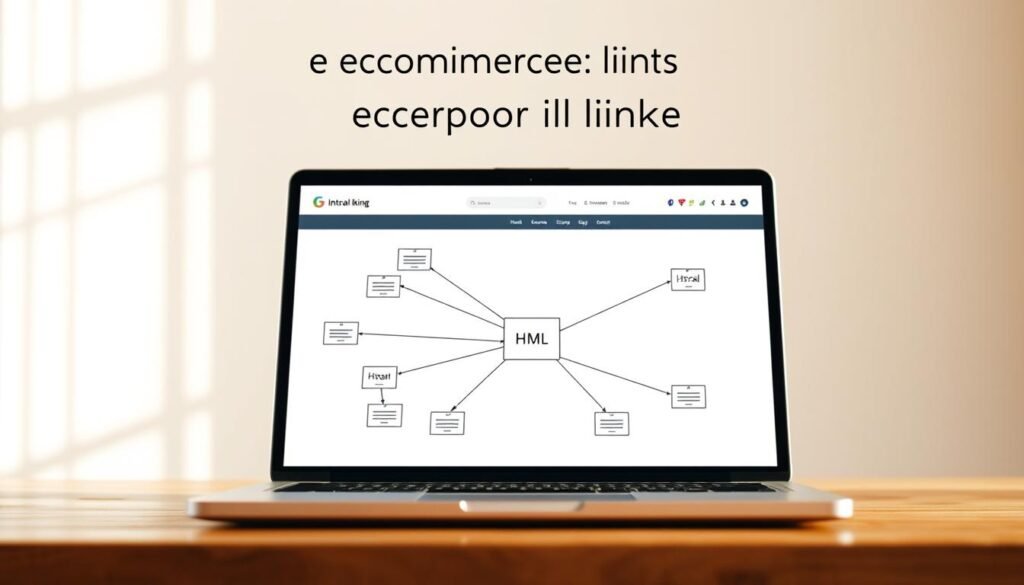
Content hubs and supporting articles that answer pre-purchase questions
Create hub pages that answer common buyer questions and link to relevant collections and bestsellers. Keep hub copy fresh with seasonal updates and new launches.
“Design links to help humans first, then machines — clear anchors beat vague ‘click here’ links.”
- Design hub-and-spoke content around key categories and bestsellers.
- Rule: from guides → collections → product pages; avoid overlinking.
- Promote guides on social media to earn natural mentions and links.
Handling duplicate content, variants, and indexing decisions
Indexing choices should reflect real user demand and the unique content each page offers. Use noindex for low-value pages that add overlap or confuse relevance. Reserve canonical tags to consolidate duplicate URLs and point signals to the preferred master page.
Noindex vs. canonical: When a filtered or variant URL offers little unique information, apply noindex. When variants differ only by display attributes (color, size) but still belong to one buying page, use a canonical tag to signal the master URL.
Practical rules for variants and master pages
- Canonicalize variant URLs when you want one product page to capture rankings while preserving selectable attributes for shoppers.
- Use noindex for parameterized or facet pages that create thin copies and dilute keyword relevance.
- Make the master URL the richest: full descriptions, FAQs, reviews, and the strongest internal links.
- Reassess indexing as demand shifts — promote a page into the index when queries and content depth justify it.
- Monitor index coverage reports to confirm search engines honor your canonical and noindex choices.
“Align indexing with audience demand and ensure indexed pages have unique, competitive content.” — Aleyda Solis (paraphrased)
Google Merchant Center product feeds that surface in Google Shopping
Start by proving ownership of your site, then submit structured product data so listings can appear. Verify via Google Analytics, Tag Manager, an HTML tag, or your platform. After verification, claim the URL to activate Merchant Center and link your catalog.
Verification, product data quality, and resolving feed disapprovals
Required attributes include title, description, price, availability, and identifiers (GTIN or MPN). Submit CSV or XML feeds and follow attribute formatting so the feed passes validation.
Monitor the Merchant Center dashboard and the “Needs attention” tab. Common disapprovals come from mismatched availability, incorrect pricing, and missing identifiers. Fix the source on your site or update the feed, then resubmit for review.
- Verify and claim your URL to connect the account and catalog.
- Keep product data consistent between page content and the feed to avoid policy flags.
- Expect reviews within three business days; accurate feeds enable free listings and ads.
“Data consistency between product pages and feeds prevents disapprovals and preserves impressions.”
Measure, learn, and iterate with Google Search Console and Analytics
Make measurement the engine that drives continuous improvements for product pages. Start by centralizing query and engagement data so you can react to real user behavior.
Use Google Search Console to monitor queries, clicks, CTR, average position, and index coverage. Submit sitemaps and key URLs for faster discovery.
Tracking queries, CTR, and product page performance
Set up dashboards that combine Search Console and Google Analytics metrics. Track CTR swings, ranking movement, and landing page sessions for priority pages.
Map Analytics conversions to product and category templates to see where to focus content and technical fixes. Pair query data with on-page tests — titles, meta descriptions, and content modules — for iterative gains.
- Use Search Console’s index and enhancements reports to find crawl and structured data issues.
- Test snippet and headline changes on pages that show strong impression volume but low CTR.
- Attribute revenue to organic channels with landing page reporting to better understand ROI.
| Metric | Source | Why it matters | Action |
|---|---|---|---|
| Queries & Impressions | Google Search Console | Shows demand and discovery gaps | Prioritize keywords for content updates |
| CTR & Average Position | Search Console | Reveals snippet effectiveness | Test titles/meta to boost clicks |
| Sessions & Bounce | Google Analytics | Measures page engagement | Improve page content and UX |
| Conversion & Revenue | Google Analytics | Shows business impact | Allocate resources to top-converting pages |
Tip: Iterate in small, measurable steps and document wins so the team can scale what works.
Backlinks, social signals, and authority building for ecommerce
When other publishers cite your resources, your pages gain authority and referral traffic.
Why it matters: backlinks from authoritative outlets tell search engines that your site and product pages are trustworthy. That can lift visibility and drive steady organic traffic.
Outreach and digital PR focus on pitching original angles to journalists, podcasters, and niche publications. Offer data, comparisons, or unique guides that attract links and mentions.
How to earn links that move the needle
- Prioritize linkable assets: original guides, research, and useful comparison pages.
- Pitch creators with timely angles tied to trends or product innovation for pick-up.
- Seed content on social media to spark natural citations and shares from communities.
- Form partnerships and co-marketing to appear on resource pages within your category.
- Track new links and measure impact on visibility and organic traffic; double down on what works.
“Focus on useful content that others want to reference; links follow value.”
Mobile-first user experience that supports SEO and conversions
Most shoppers reach for their phones first, so mobile design must lead every decision.
Design responsive templates that favor thumb-friendly navigation. Put scannable product info near the top so buyers see size, price, and key features at a glance.
Optimize media by compressing images and using modern formats. Audit third-party scripts and defer nonessential tags to cut mobile latency and improve Core Web Vitals.
Surface important actions—size selector, add-to-cart, and shipping details—early in the mobile viewport. This reduces friction and keeps shoppers moving toward purchase.
Use sticky CTAs and simplified filters to speed decision-making on small screens. Keep filters minimal and preserve clear counts so users narrow options without confusion.
Validate checkout speed and clarity on real devices. Test form fields, autofill, and payment flows to protect conversion rates and avoid last-second abandonment.
“Fast, thumb-friendly pages turn casual browsers into confident buyers.”
| Focus Area | Mobile Fix | Outcome |
|---|---|---|
| Navigation | Thumb-friendly menus, clear CTAs | Fewer clicks to product pages |
| Media | Compress images, lazy load, modern formats | Lower load time, better Core Web Vitals |
| Key actions | Prominent add-to-cart, size, shipping | Higher conversion on product pages |
| Filters & CTAs | Simplified filters, sticky CTAs | Faster decisions, less drop-off |
Conclusion
Make measured, repeatable changes and watch product pages compound wins.
Start with research and map each keyword to the right page. Keep the site tidy: fix crawl issues, remove thin pages, and preserve clear content paths.
Optimize on-page elements and structure so category hubs and product entries work together. Use focused keywords and helpful content that supports shoppers and internal linking that moves authority to priority pages.
Measure with Search Console and Analytics to spot gains and gaps. Keep Merchant Center data accurate to expand reach for your product listings.
Apply this playbook consistently: research, map, tidy the site, edit pages, measure, repeat. This practical seo strategy will help your online store scale with durable gains.